

A Simpler, Faster Way to Get Around Silq



As Silq continues to bring more of your supply chain workflow into one place, we’re making it easier to move around the platform.
We’ve redesigned Silq’s navigation so you can get to your projects, shipments, quotes, and invoices in fewer clicks. The new layout keeps the areas you use most at the top, brings related pages together, and gives you more control over how much of the navigation you want to see.
The result is a cleaner way to move through Silq without changing the pages or workflows you already rely on. Nothing has been removed. We’ve simply made it easier to find what you need.
Everything you use, organized around how you work
The navigation is the starting point for almost everything you do in Silq, so we wanted its structure to make more sense at a glance. Projects, Shipments, and Inspections remain at the top of the menu, keeping the areas you use most within easy reach.
The rest of the navigation is now organized into five clear groups: Quoting, Insights, My business, Tasks, and Finance. Related pages now sit together within these groups, making the menu easier to scan and giving each area of the platform a clearer place.
Instead of working through one long list of pages, you can now move through a simpler structure that reflects the different areas of work available in Silq.
.png)
A cleaner menu, your way
The new navigation also gives you more control over how much of the menu stays visible. If you want to see the pages within a group, simply expand it. When you don't need those pages visible, collapse the group to keep the navigation shorter and more focused.
Silq remembers how you've set up the menu in the browser you're using, so you don't have to reorganize it every time you return. Whether you prefer seeing the full list of pages or keeping the navigation more compact, the menu can stay configured around your workflow.
Request a quote from wherever you are
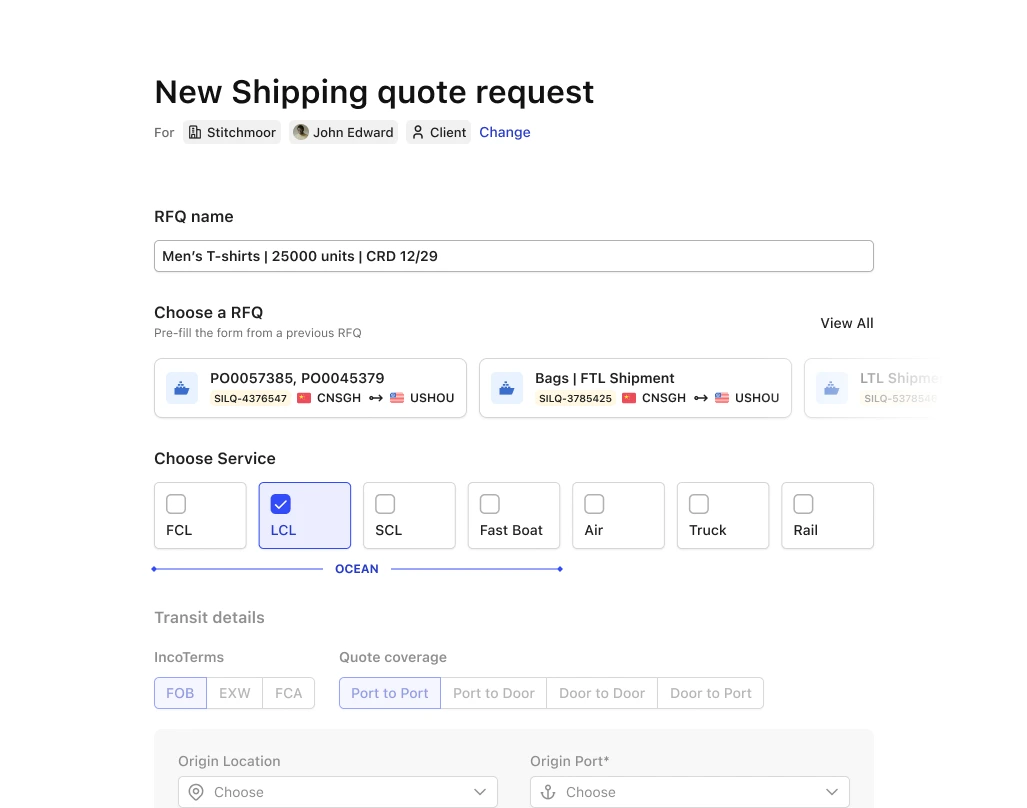
Requesting a quote often happens while you're already working somewhere else in Silq. You might be reviewing a project, looking at a shipment, or checking your invoices. With the new navigation, you no longer need to leave that page to start a quote request.
New RFQ now sits at the top right of every page, giving you a consistent way to start a quote request wherever you are in Silq. Once you've finished, closing the form takes you back to the page you were working on.
The top bar also brings Notifications and Feedback, along with your account controls, into the same area. This keeps these actions accessible without adding more items to the main navigation.
.png)
Get back to your recent projects and shipments in one click
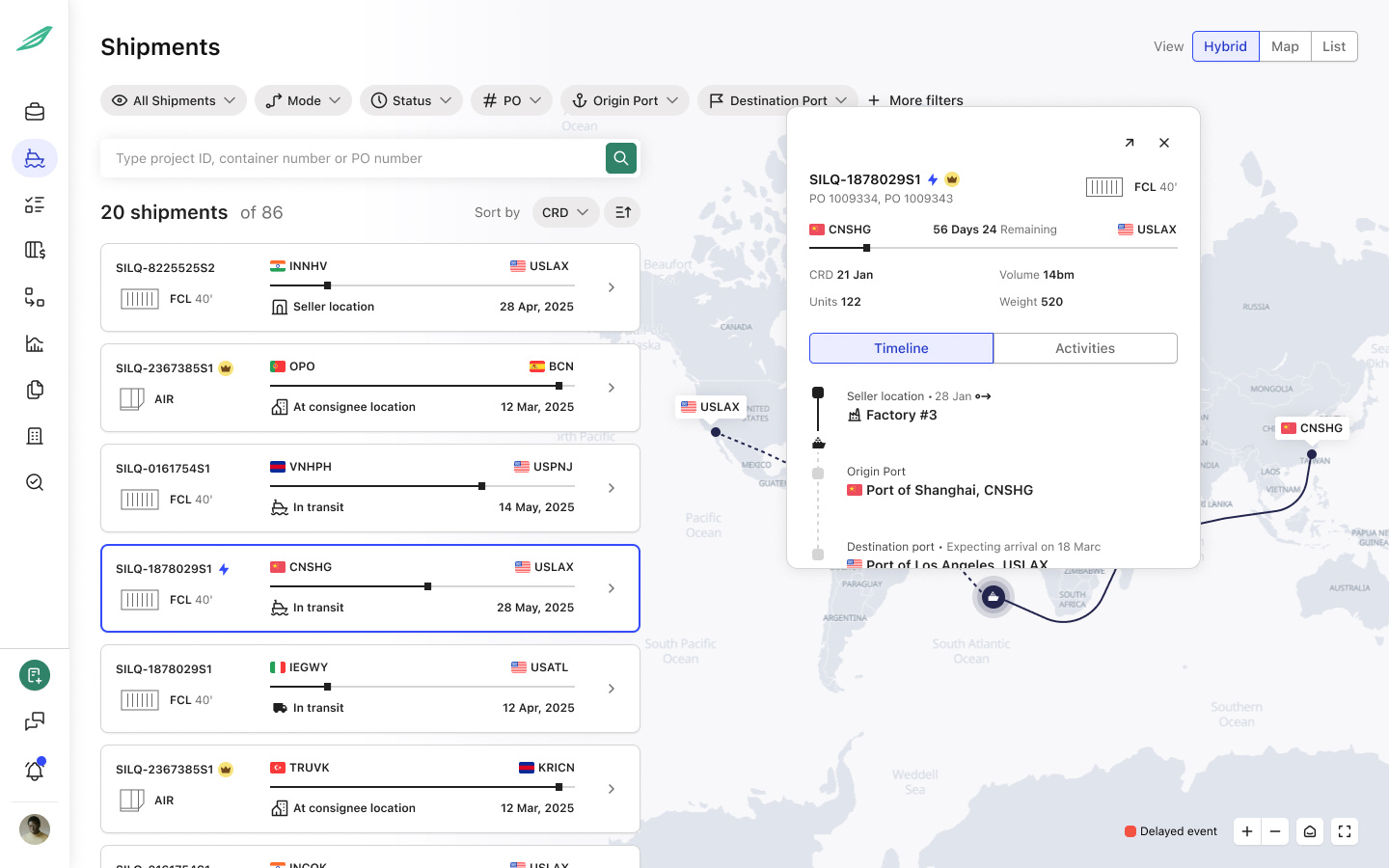
When you're working across projects and shipments, getting back to something you've already opened shouldn't require you to search through your workspace again. The new Most Visited strip gives you a direct way to return to the projects and shipments you open most often.
The strip appears along the bottom of the screen and adapts depending on where you are in Silq. On the Projects page, it shows your projects; on the Shipments page, it shows your shipments; and on other pages, it shows both. You can click an item to go straight back to it, or hover over a shipment to get a quick preview of its route and progress before opening it.
The list is personal to you and is built from the projects and shipments you open, so it reflects the work you're returning to rather than being a shared list across users.
More room for your work
The navigation should help you move around Silq without taking away space from the work you're actually doing. If you're working with a shipment map or a long list of projects or shipments, you can now collapse the navigation to give yourself more room.
Click the collapse button next to your company logo and the full menu shrinks into a slim row of icons. You can hover over an icon to see its pages and expand the navigation again whenever you need the full menu.
This gives you the flexibility to use the full navigation when you're moving between areas of Silq and minimize it when you want to focus on the content in front of you.
.png)
If you're familiar with the old menu, here's what's changed
If you've been using Silq for a while, some pages may appear in different places after the update. The underlying pages and functionality haven't been removed; we've reorganized the navigation so related pages are grouped together.
Here's a quick guide to where things are now:
The navigation may look different, but your existing links don't need to change. Each page keeps the same web address it had before, so browser bookmarks and links you've saved or shared in emails will continue to open the same page.
A simpler, faster way to get around Silq
Good navigation should make it easier to focus on the work itself.
With this update, the areas you use most are easier to reach, related pages are organized together, and the navigation can adapt to how you work. You can request a quote from wherever you are, quickly return to projects and shipments you've recently worked with, or collapse the menu when you need more space.
These changes don't require you to learn a new Silq. The pages you already use are still there, your saved links continue to work, and your navigation can now be configured around the way you prefer to work.
No. Every page from the old menu is still available in Silq. Some pages now sit inside a group, but the pages and functionality are still available.
You'll now find it as the green New RFQ button at the top right of every page.
Yes. Folded groups and a collapsed menu stay the way you left them in the browser you're using. If you open Silq on a new computer or browser, the menu will start fully open.
Only you. It's built from the projects and shipments you open.


Ready for Supply Chain Predictability?
Importers using Silq ship smarter, safer, and with total control.